Hackathon project
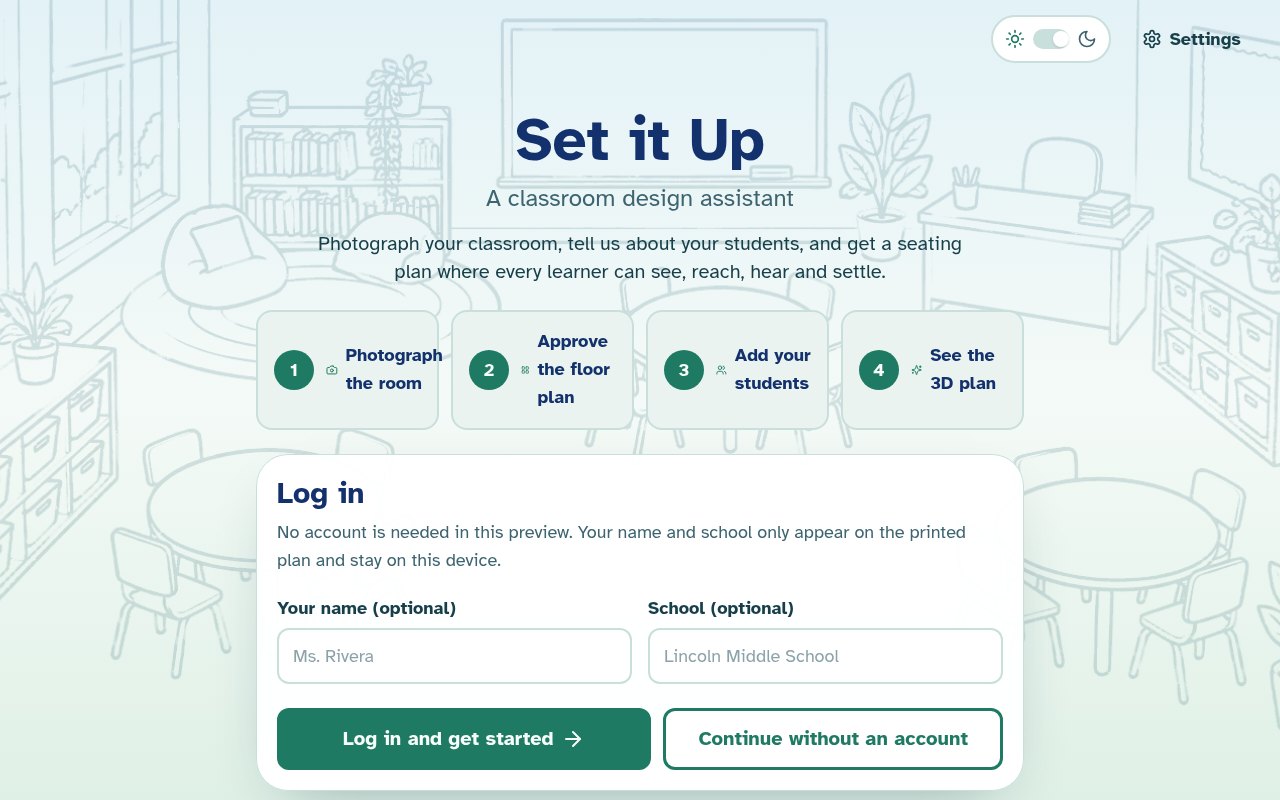
Responsive Design Excellence AwardSet It Up: a classroom design assistant
AI + Learning Differences Hackathon, Harvard University
- #CoDesign
- #UniversalDesign
- #ResponsibleAI
- Audience
- Classroom teachers supporting students with a range of learning needs
- My role
- Led pedagogical framing, expert co-design interviews, and prototype playtesting as part of a multidisciplinary team
- Tools & frameworks
- Universal Design for Learning · Research and expert evidence · Co-design · Playtesting · AI suggestions
- Duration
- 2-day hackathon, November 7 to 8, 2026
- Design choices
- Tested with experts who have different learning disabilities. Step-by-step checklist. Student information stays on the device unless the teacher asks for AI suggestions. Every suggestion is grounded in research and expert evidence.
- Outcome
- Won the Responsive Design Excellence Award. Live and open for any teacher to try.
The Challenge
Many teachers want a more inclusive classroom. Knowing which desk to move, and why, for this group of students in this room, is much harder.
The Solution
A tool that makes that wish concrete and actionable, with no special skills or training needed.
- The teacher photographs the room they really have
- They add what they know about their learners: de-identified IEPs, observations, student and caregiver feedback
- They get research-backed suggestions for changing the space
- A step-by-step checklist sorts each move by free, cheap, or needs approval
Process Highlights
- 1
Prevent, don't react
Drawing on our own experiences, the team agreed to build something preventative. I brought my years of teaching and the pedagogies I am studying at Harvard to that idea.
- 2
Test the idea with experts
I checked our direction in conversations with experts at the hackathon who have different learning disabilities, drawing on their experiences.
- 3
Playtest, listen, return
I playtested the prototype, brought feedback to the team, and went back to the experts to test again.
- 4
Accessible to every teacher
Suggestions arrive as a step-by-step checklist, sorted by free, cheap, or needs approval, so a teacher can act on them without special skills or training.
- 5
Protect students' information
The app states that student information stays on the device unless the teacher asks for AI suggestions, and that no diagnoses are stored.
What changed
- Before
- We initially planned to generate broad classroom layout ideas based on general environment guidelines.
- What we heard
- Experts with learning disabilities emphasized that teachers need concrete, low-barrier modifications that address diverse sensory and learning needs without requiring specialized training or expensive overhauls.
- After
- We narrowed the tool from broad layout ideas to a step-by-step checklist, sorted by what is free, low-cost, or needs approval, with student information kept on the device. Every recommendation is backed by research, Universal Design for Learning principles and evidence from the experts we consulted.
Key Impact & Artifacts
- Winner, Responsive Design Excellence Award
- Recognized for “the most thoughtful change of direction in response to co-designer or community feedback”
- Live and open for any teacher to try
The hackathon was held by Harvard Graduate School of Education, the AI + Learning Differences Initiative and Harvard Law School.
Certificate of Recognition
Responsive Design Excellence, November 7 to 8, 2026.
Open the certificate (PDF)